
Keep the moment. Lose the clutter.
Ask to remove unwanted people or objects while keeping the details that matter.
Meet EzFoto, your AI photo editor. Change a background, remove a distraction, or try a new style. Just upload a photo and put your idea into words.
Free daily edits. No sign-up. Nothing to install.
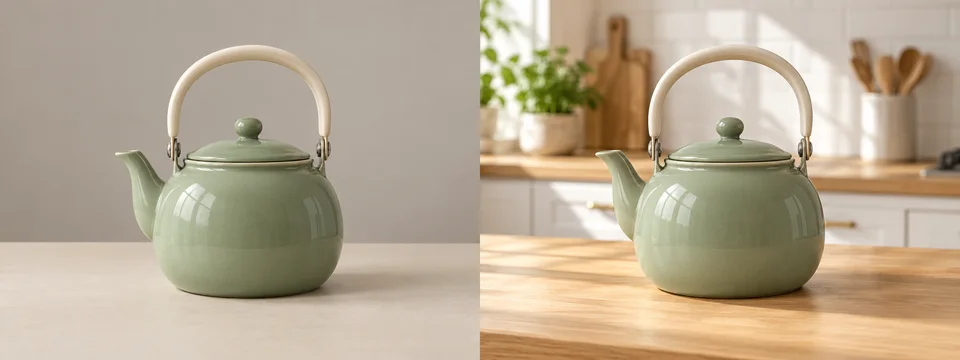
Creative concept illustration · Results vary by photo and prompt
Small changes. Fresh possibilities.
From everyday touch-ups to a different artistic direction, start with the image you already have.
Ask to remove unwanted people or objects while keeping the details that matter.
Give a product or portrait a fresh setting. Describe the background you have in mind.

Reimagine a favorite photo as a soft watercolor illustration or another creative style.
Creative concept illustrations, not verified outputs from the demo models.
Less explaining. More creating.
Your photo, your instructions, your next idea.
Try EzFoto right here.
Upload your photo and tell us what to change. Your finished edit will appear here.
You can leave this tab open while your photo is being edited.
Ready when you are. Start with one clear change.
Each model has its own daily allowance. Availability and remaining uses are determined by the service.
From idea to image
Upload a clear photo. Add an optional reference if it helps show the look or direction you want.
Name what to change and what to keep. Choose a model, select Generate, and complete the quick verification.
Compare your edit with the original, check the details, and download the version you want to keep.
EzFoto is an online AI photo editor. Upload an image and use a text prompt to request changes such as replacing backgrounds, removing distractions, or applying a creative style. The demo connects to the same editing service as ezfoto.org.
You can start without an account. Base offers 5 daily edits with Qwen Image Edit; Advanced offers 2 daily edits with GPT Image 2.5. The service enforces each model's allowance. Failed submissions may still use an allowance, so check an existing task before submitting again.
Ask for one specific change. Identify the subject and list the details to keep, such as pose, color, lighting, or composition. AI may change other details, so compare faces, text, edges, and proportions with the source.
When you submit, your photos and prompt are sent to EzFoto and its model providers. This demo remembers the latest task in this browser so you can check it again. Clearing that record does not delete backend or provider files. See the Privacy Policy for more information.
Use “Check result again” to resume checking your existing task. The demo never automatically resubmits a generation. Keep your task ID if you contact support. If a download is blocked, you can open the original result file to save it.
A different setting. A new style. An idea worth trying.